A MyST plugin that lets you embed interactive manim-web animations directly in your documents.
You write only the animation logic. The scene object, all shapes, animations,
colors, and rate functions are already in scope — no imports, no boilerplate.
See some examples of animations and the code here.
This plugin was presented and contributed to
myst-pluginsduring #myst-education-2026.
Installation
MyST HTML / Jupyter Book
Copy both manim.mjs and manim-widget.mjs into your project and register the plugin in myst.yml:
version: 1
project:
  title: My Project
  plugins:
    - manim.mjs
Then run:
myst startNo npm install needed — manim-web is loaded from a CDN at render time.
Jupyter Notebooks (JupyterLab / Google Colab)
Install the Python package directly from GitHub:
!pip install "myst-manim-widget @ git+https://github.com/DobbiKov/myst-manim-plugin.git"No other dependencies — the package only requires ipython, which is already present in every Jupyter environment.
Usage
MyST / Jupyter Book
Use the manim directive in any .md file:
:::{manim}
const circle = new Circle({ color: RED, fillOpacity: 0.3 });
scene.add(circle);
await scene.play(new Create(circle));
await scene.wait(1);
await scene.play(new FadeOut(circle));
:::
The body is plain JavaScript. Everything from manim-web is already destructured into scope, and your code runs inside an async function so you can await every animation call.
Jupyter Notebooks
Import the package once — this automatically registers the %%manim cell magic:
import myst_manim_widgetThen use %%manim at the top of any code cell:
%%manim
const circle = new Circle({ color: RED, fillOpacity: 0.3 });
scene.add(circle);
await scene.play(new Create(circle));
await scene.wait(1);
await scene.play(new FadeOut(circle));
Options are passed as flags on the same line as %%manim:
%%manim --width 800 --height 450 --background-color '#1e1e2e' --show-player
const sq = new Square({ color: BLUE, fillOpacity: 0.5 });
await scene.play(new Create(sq));
await scene.play(new Rotate(sq, Math.PI));
The animation code body is identical to the MyST directive — same JavaScript, same scope, same scene object.
Options
All options are optional.
| Option (MyST) | Option (Jupyter) | Default | Description |
|---|---|---|---|
width | --width | 800 | Canvas width in pixels |
height | --height | 450 | Canvas height in pixels |
background-color | --background-color | #000000 | Background color as a CSS hex value |
scene | --scene | Scene | Scene class: Scene or ThreeDScene |
show-player | --show-player | off | Render a play/pause/seek bar below the animation |
:::{manim}
:width: 1000
:height: 500
:background-color: #1e1e2e
:show-player: true

// your animation code
:::
Animation player
When :show-player: true is set, a control bar appears below the canvas:
| Control | Action |
|---|---|
| ⟳ | Restart the animation from the beginning |
| ⏸ / ▶ | Pause or resume playback |
| Progress bar | Shows elapsed / total time; click anywhere to seek to that position |
| Drag | Hold and drag the progress bar to scrub through the animation |
Seeking works by restarting the scene and fast-forwarding through all animation calls that fall before the target time. The total duration is learned from the first complete run, so the seek bar becomes fully accurate after the animation plays through once.
Note: Pause takes effect between
scene.play()/scene.wait()calls, not mid-frame. Very long single animations will only pause once they finish playing.
What’s in scope
You don’t need to import anything. The following are available directly:
scene
The Scene instance, already attached to a canvas in the page.
scene.add(mobject)           // add to scene
scene.remove(mobject)        // remove from scene
await scene.play(animation)  // play one or more animations in parallel
await scene.wait(seconds)    // pause
scene.clear() // remove all mobjectsShapes
| Name | Description |
|---|---|
Circle | Circle with configurable radius |
Square | Square with configurable side length |
Rectangle | Rectangle with width and height |
Triangle | Triangle shape |
Polygon | Arbitrary polygon from vertices |
RegularPolygon | n-sided regular polygon |
Ellipse | Ellipse |
Arc | Arc segment |
Dot | Small filled dot |
Line | Line segment |
Arrow | Line with arrowhead |
Common shape options:
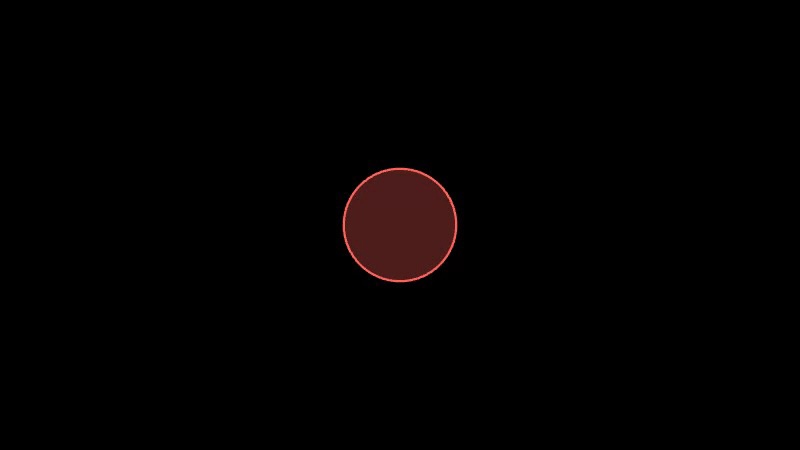
new Circle({
  radius: 1.5,
  color: RED,          // color constant or hex string '#ff0000'
  fillOpacity: 0.5,    // 0 = transparent fill, 1 = solid fill
  strokeWidth: 2,
})
Text and math
| Name | Description |
|---|---|
Text | Plain text |
MathTex | LaTeX math expression, rendered via KaTeX |
Paragraph | Multi-line text |
MarkupText | Text with inline markup |
new Text('Hello world', { fontSize: 48, color: WHITE })
new MathTex('E = mc^2')
new MathTex(['\\frac{1}{2}', '+', '\\frac{1}{3}']) // multi-part for stylingGroups
| Name | Description |
|---|---|
VGroup | Group of vector mobjects, supports .arrange() |
Group | Generic container |
const group = new VGroup(circle, square, triangle);
group.arrange(undefined, 0.5);  // lay out with 0.5 unit spacing
Coordinate systems
| Name | Description |
|---|---|
Axes | 2D axes with tick marks and labels |
NumberLine | 1D number line |
NumberPlane | 2D grid |
ComplexPlane | Complex number plane |
Graph | Network graph (vertices and edges) |
const axes = new Axes({
  xRange: [-3, 3, 1],   // [min, max, step]
  yRange: [-2, 2, 1],
});
const curve = axes.plot((x) => Math.sin(x), { color: YELLOW });
Animations
Appearance
| Name | Description |
|---|---|
Create | Draw the shape stroke-by-stroke, then fill |
FadeIn | Fade in from transparent |
FadeOut | Fade out to transparent |
Write | Reveal text character by character |
Unwrite | Reverse of Write |
Transformation
| Name | Description |
|---|---|
Transform | Morph one shape into another |
ReplacementTransform | Like Transform but replaces the source object |
Rotate | Rotate by an angle |
Shift | Move in a direction |
MoveAlongPath | Follow a path |
ApplyMatrix | Apply a linear transformation matrix |
ApplyComplexFunction | Map via a complex function |
ApplyPointwiseFunction | Warp via a pointwise function |
Indication
| Name | Description |
|---|---|
Indicate | Flash-highlight an object |
Circumscribe | Draw a circle around an object |
ShowPassingFlash | Passing flash effect |
Broadcast | Emanate copies outward |
Composition
| Name | Description |
|---|---|
AnimationGroup | Run multiple animations together, optionally staggered |
LaggedStart | Start each child animation with a delay offset |
Succession | Play animations one after another |
// Parallel with stagger
await scene.play(new LaggedStart(
  new FadeIn(obj1),
  new FadeIn(obj2),
  new FadeIn(obj3),
  { lagRatio: 0.3 }
));

// Sequential
await scene.play(new Succession(
  new Create(obj1),
  new Transform(obj1, obj2),
  new FadeOut(obj2),
));
All animations accept a duration (seconds) and rateFunc option:
await scene.play(new Create(circle, { duration: 3, rateFunc: easeOutBounce }));Value tracking
ValueTracker lets you animate a numeric value and drive other properties from it:
const t = new ValueTracker(0);

circle.addUpdater((mob) => {
  mob.setColor(t.getValue() > 0.5 ? RED : BLUE);
});

await scene.play(t.animateTo(1, { duration: 2 }));
Colors
Color constants ready to use:
RED GREEN BLUE YELLOW PURPLE PINK
WHITE BLACK GRAY LIGHT_GRAY DARK_GRAY
ORANGE TEAL GOLD MAROON
Or pass any hex string: '#ff6b6b'
Rate functions
Control animation easing:
| Name | Description |
|---|---|
smooth | Smooth ease in/out (default) |
linear | Constant speed |
easeInOutSine | Sine-based easing |
easeOutBounce | Bouncy finish |
exponentialDecay | Fast start, slow end |
lingering | Slow start, fast end |
thereAndBackWithPause | Go forward, pause, return |
runningStart | Fast start |
Examples
Circle and fade
:::{manim}
const circle = new Circle({ color: RED, fillOpacity: 0.3 });
scene.add(circle);
await scene.play(new Create(circle));
await scene.wait(1);
await scene.play(new FadeOut(circle));
:::
Shape morphing

:::{manim}
:background-color: #1e1e2e

const square = new Square({ sideLength: 2, color: BLUE, fillOpacity: 0.5 });
scene.add(square);
await scene.play(new Create(square));
await scene.play(new Transform(square, new Circle({ color: YELLOW, fillOpacity: 0.5 })));
await scene.wait(1);
:::
LaTeX equation

:::{manim}
:height: 300

const eq = new MathTex('\\int_0^\\infty e^{-x^2}\\,dx = \\frac{\\sqrt{\\pi}}{2}');
scene.add(eq);
await scene.play(new Write(eq));
await scene.wait(2);
:::
Function plot
:::{manim}
:width: 900
:height: 500

const axes = new Axes({ xRange: [-4, 4, 1], yRange: [-1.5, 1.5, 1] });
scene.add(axes);
await scene.play(new Create(axes));

const sine  = axes.plot((x) => Math.sin(x),       { color: YELLOW });
const cosine = axes.plot((x) => Math.cos(x),       { color: BLUE });
await scene.play(new Create(sine), new Create(cosine));
await scene.wait(1);
:::
Staggered group entrance

:::{manim}
const shapes = new VGroup(
  new Circle({ color: RED,    fillOpacity: 0.6 }),
  new Square({ color: GREEN,  fillOpacity: 0.6 }),
  new Triangle({ color: BLUE, fillOpacity: 0.6 }),
);
shapes.arrange(undefined, 1);
scene.add(shapes);

await scene.play(new LaggedStart(
  ...shapes.map((s) => new FadeIn(s)),
  { lagRatio: 0.4 }
));
await scene.wait(1);
await scene.play(new LaggedStart(
  ...shapes.map((s) => new FadeOut(s)),
  { lagRatio: 0.2 }
));
:::
Animated value tracker
:::{manim}
const tracker = new ValueTracker(0);
const circle  = new Circle({ color: BLUE, fillOpacity: 0.5 });
scene.add(circle);

circle.addUpdater(() => {
  const v = tracker.getValue();
  circle.setColor(v < 0.5 ? BLUE : RED);
});

await scene.play(new Create(circle));
await scene.play(tracker.animateTo(1, { duration: 2 }));
await scene.wait(1);
:::
Animation with player controls
:::{manim}
:show-player: true
:background-color: '#1e1e2e'

const circle = new Circle({ color: BLUE, fillOpacity: 0.4 });
const square = new Square({ sideLength: 2, color: YELLOW, fillOpacity: 0.4 });
scene.add(circle);

await scene.play(new Create(circle));
await scene.wait(0.5);
await scene.play(new Transform(circle, square));
await scene.wait(0.5);
await scene.play(new FadeOut(square));
:::
Error handling
If your animation throws, the canvas is replaced by a red error message showing what went wrong. Check the browser console for the full stack trace.
How it works
plugin.mjs runs at build time — it reads the directive and stores your
animation code and options as widget model data. In the browser, MyST loads
widget.mjs, which imports manim-web from CDN, creates the Scene, and runs
your code. Each manim block gets its own independent scene.